
Overview
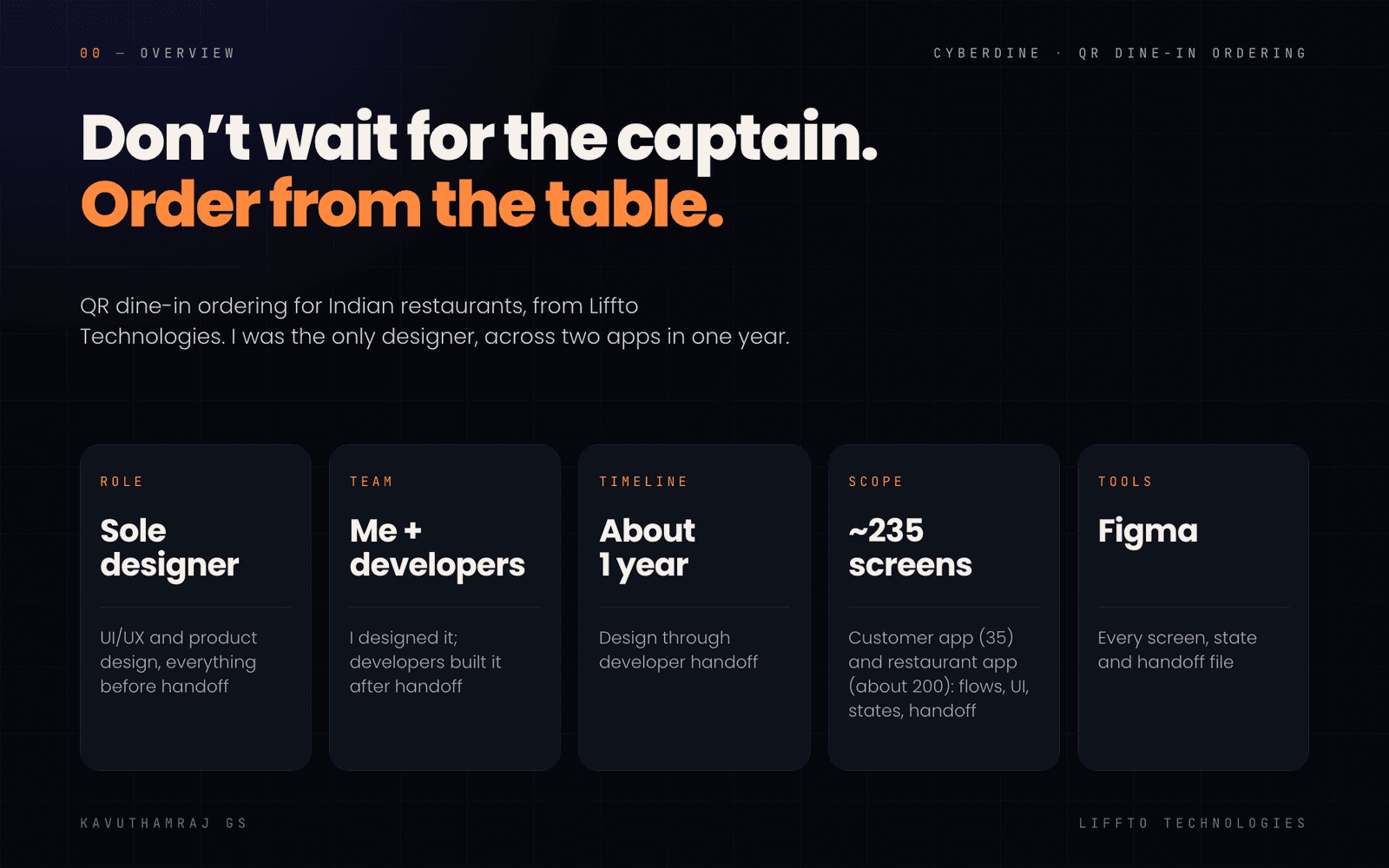
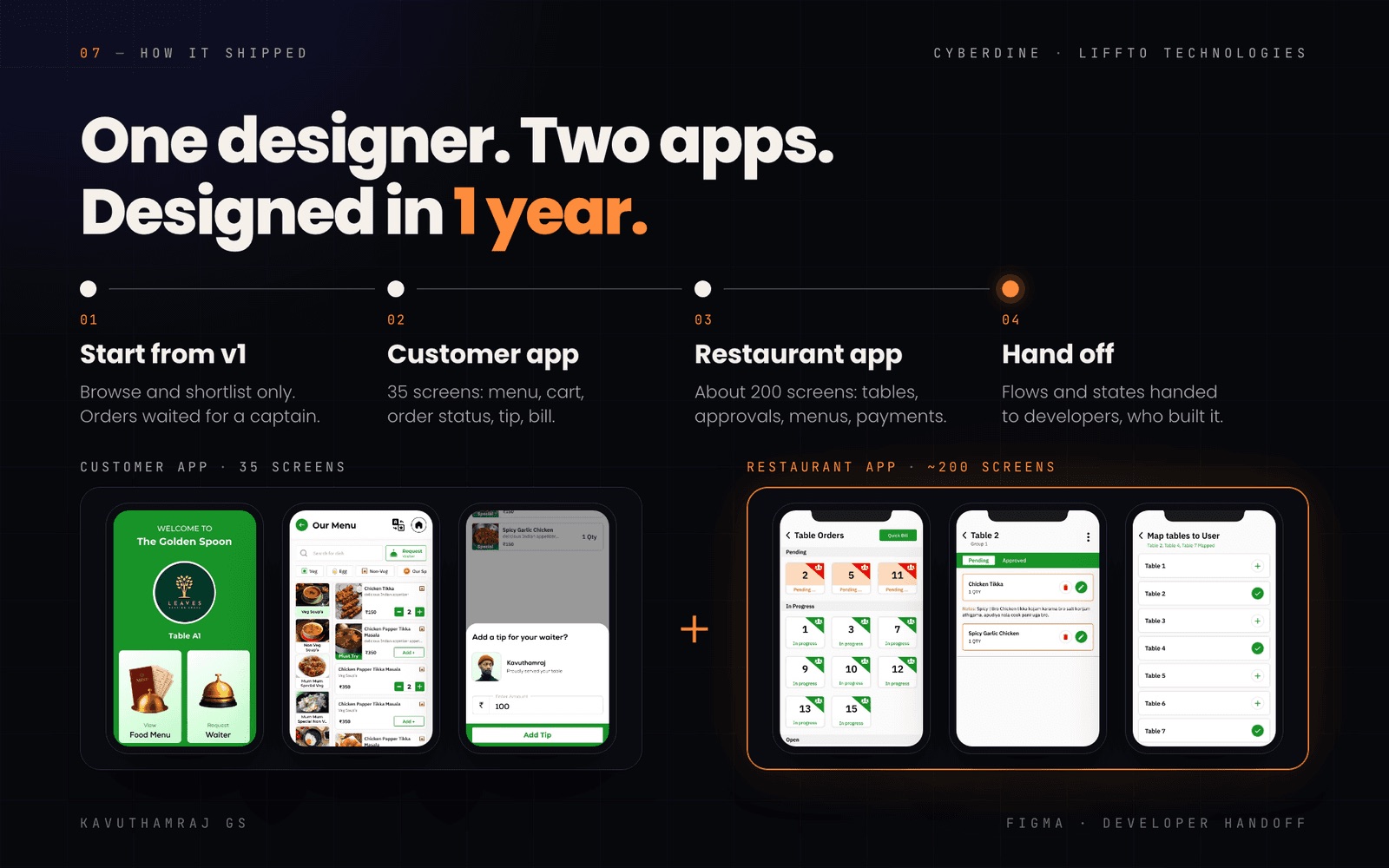
QR dine-in ordering and billing for Indian restaurants, built by Liffto Technologies. I was the only designer across two apps, a 35-screen diner app and a ~200-screen restaurant app, from research to developer handoff.
 (opens in new tab)
The problem
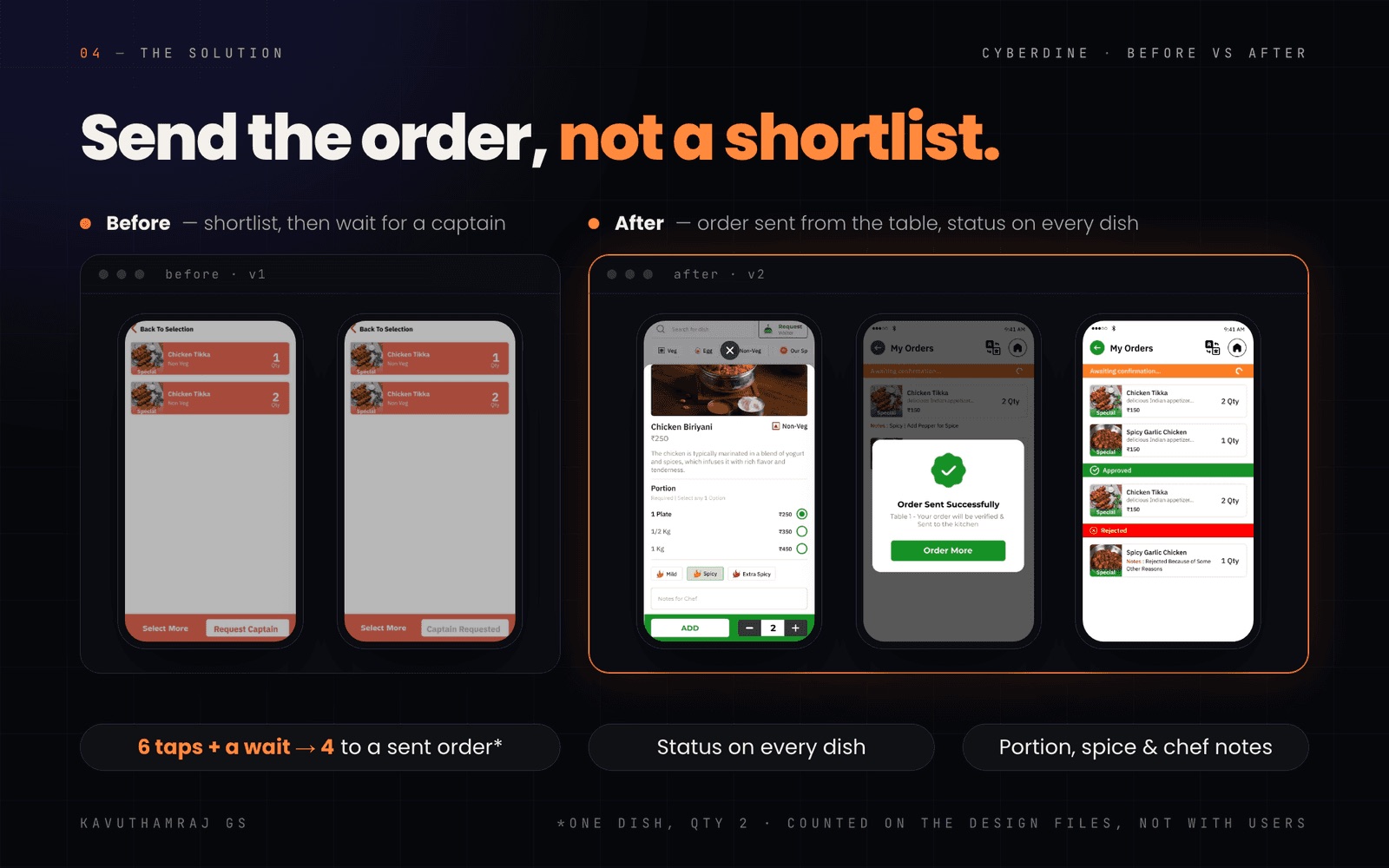
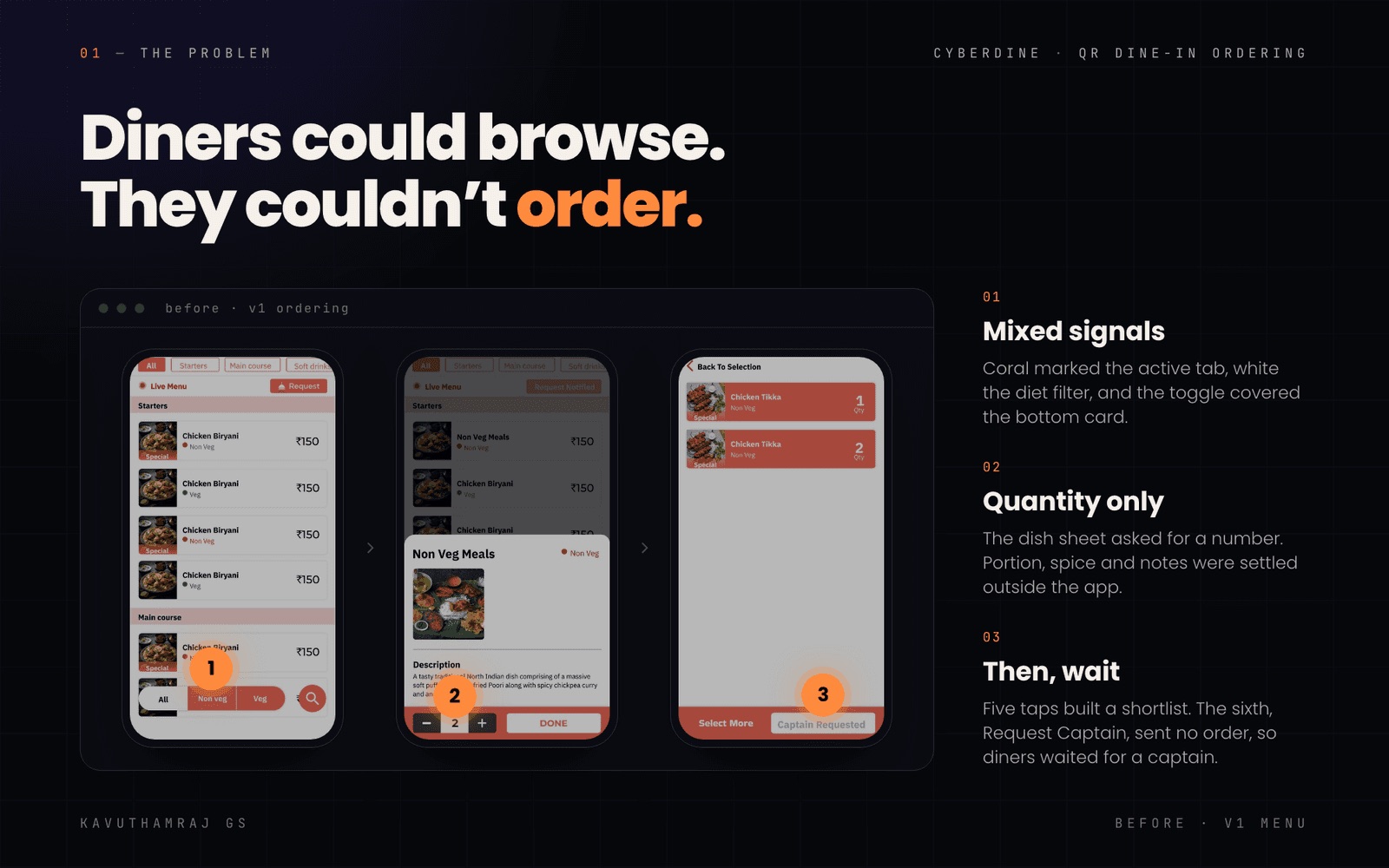
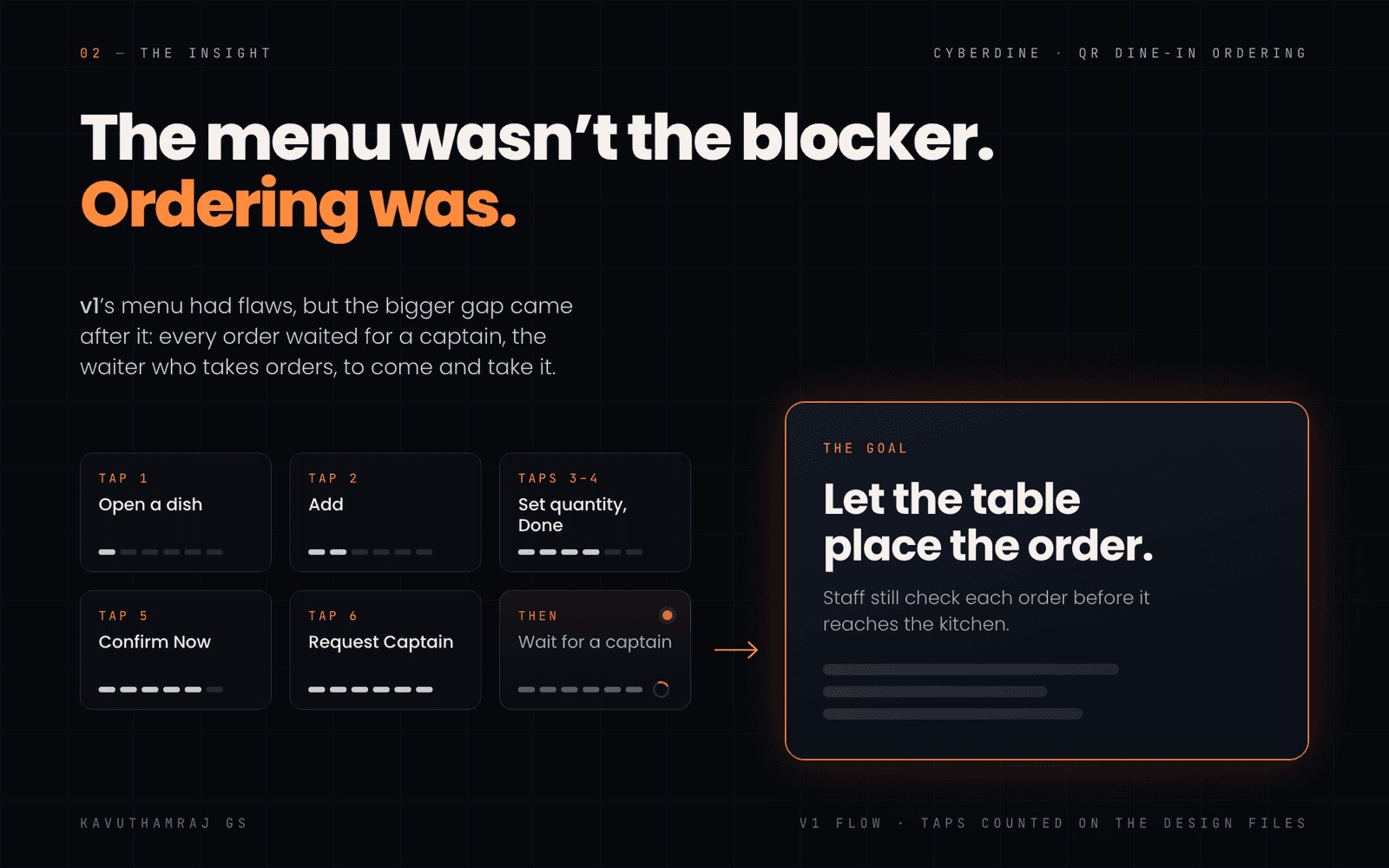
Diners could browse and shortlist dishes, but they couldn't order. Five taps built a shortlist; the sixth was Request Captain. Then the table waited for a captain, the waiter who takes orders.
The dish sheet only asked for quantity, so portion, spice and notes were settled outside the app. Selected states disagreed too: category tabs used coral, the diet toggle used white, and coral with white text had a contrast of only 2.99:1.
 (opens in new tab)
The real blocker
The menu had flaws, but the bigger gap came after it: every order waited on a person.
Staff approve each order before it goes to the kitchen.
Let the table place the order, and let diners follow each dish while staff check it.
 (opens in new tab)
The decision: where the total lives
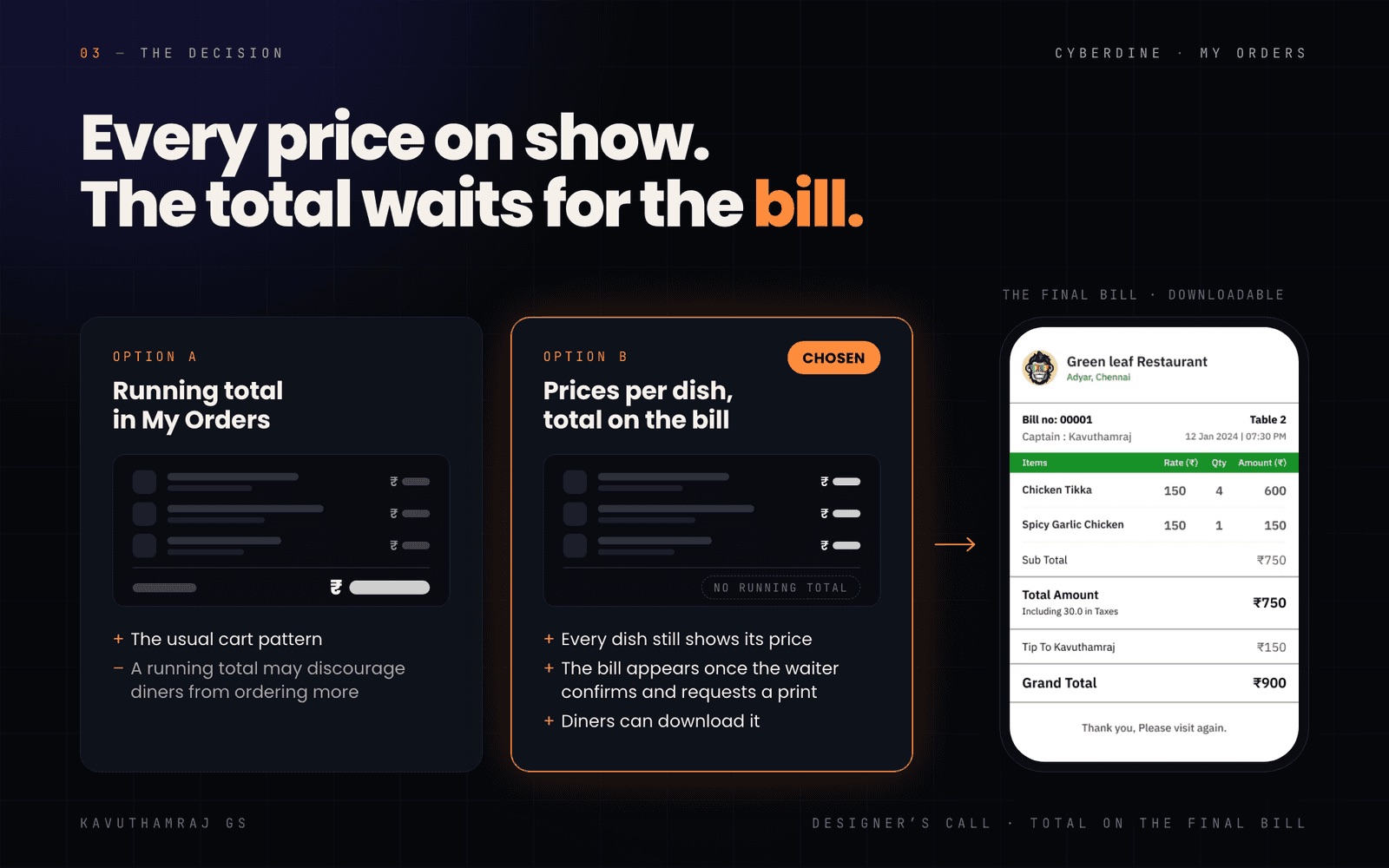
The usual cart pattern shows a running total in My Orders. I chose not to, because a growing total may put diners off ordering more. Every dish still shows its price, so nothing is hidden. The bill appears once the waiter confirms the order and asks for it to be printed, and diners can download it.
 (opens in new tab)
The customer app
Add + turns into a stepper on the card. One dish at quantity 2 now takes 4 taps to a sent order (Add +, +, View Cart, Order Now), down from 6 taps plus a wait for a captain. I counted both on the design files, not with users.
Dishes with portions open a sheet with a priced portion, spice level and Notes for Chef.
Diet chips carry FSSAI-style marks that use both shape and colour.
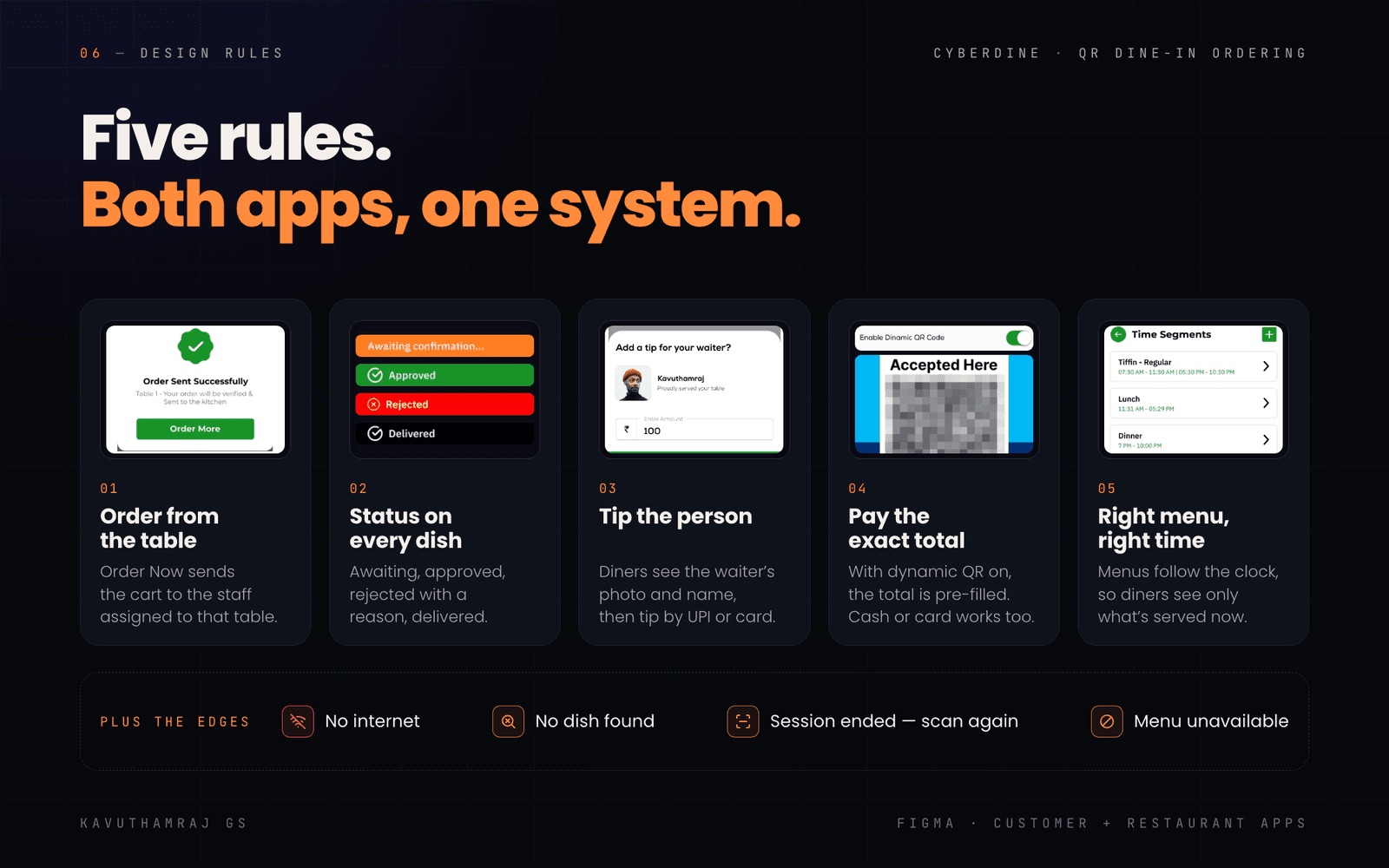
Awaiting confirmation, Approved, Rejected (with the staff's reason) or Delivered.
The restaurant app
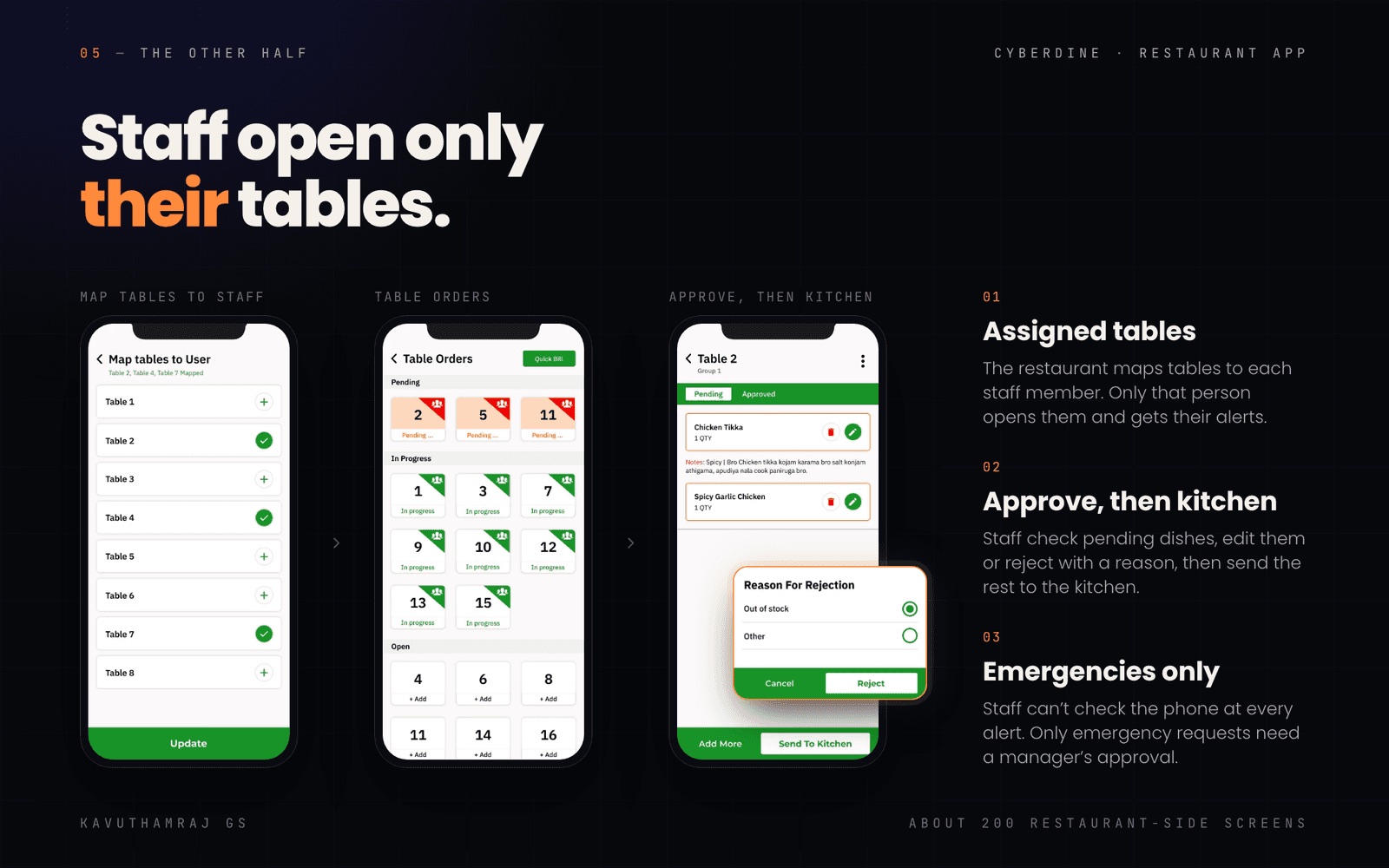
The restaurant maps tables to each staff member, and only that person opens those tables and gets their alerts. Table Orders groups tables as Pending, In progress and Open. Staff open a table, edit or delete dishes, read chef notes and tap Send To Kitchen.
A rejection needs a reason (Out of stock or Other), and the diner sees it on that dish. Staff can't check the phone at every alert, so only emergency requests need a manager's approval.
 (opens in new tab)
Tips, payment and menus
Captains told us tips had become a problem. Most diners pay by UPI and don't carry cash, so they added the tip to the bill in the same payment, and at the end of the day tips were hard to separate from the bill. I designed a separate tip step: diners see the assigned waiter's photo and name, then tip by UPI or card, and tips show up live for the restaurant.
The bill carries a Scan to Pay QR. With dynamic QR turned on, it pre-fills the exact total, which cuts wrong and missed payments. Cash and card still work.
Menus follow time segments (tiffin, lunch, dinner), so diners only see what's being served now.
Offline, no results, session ended, menu unavailable.
 (opens in new tab)
How it shipped
About a year from v1 to handoff. Developers built both apps from my Figma handoff. Madurai Konar Mess and Taj Biriyani came on board in November 2024, and AXN Biriyani Centre in Tiruppur printed a real Cyberdine bill in April 2025.
 (opens in new tab)
Impact
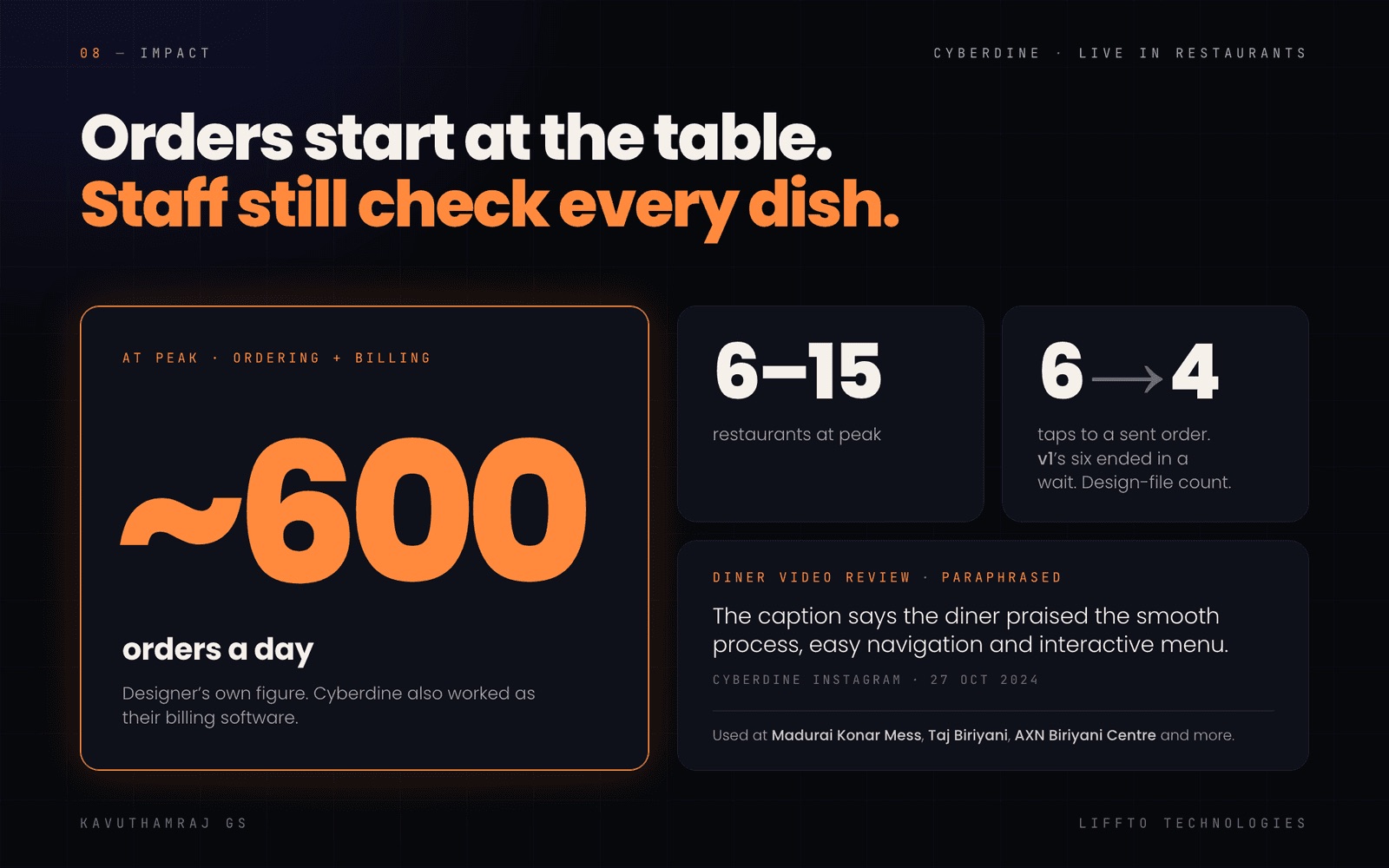
At peak, by my own figures.
At peak, by my own figures, counting ordering and billing together, since Cyberdine also worked as billing software.
To a sent order, counted on the design files.
A diner's video review went up on Cyberdine's Instagram. The caption says they praised the smooth process, easy navigation and interactive menu.
 (opens in new tab)
Looking back
Fix the status colours first. They fail AA on small white text, and the fixes are simple:
#179428 (3.96:1) → #127A20 (5.48:1)
#FF7D20 (2.56:1) → #B45309 (5.02:1)
#FF0000 (4.00:1) → #CC0000 (5.89:1)
Design the slow path. If approval drags, the diner gets no time estimate and no way to cancel.
Measure next time. Record order times and approval waits before and after, so the impact has a baseline, not just a tap count.