
The story in 30 seconds
Think of a company that builds apps for other businesses.
To win one client and deliver one app, its team goes through five steps:
- Step 1Win the clientVortex
- Step 2Write down what to buildAxiom
- Step 3Put a price on itPrism
- Step 4Plan the workCadence
- Step 5Build the appTuring
Before
- Five separate tools
- The same details typed again at every step
- Nobody noticed when the AI got stuck
With Steadfast
- One place for all five steps
- AI does the typing and the maths
- A person checks and approves every AI step
Four decisions, in 90 seconds
Short on time? These four choices shaped the whole product. Each one links to where you can see it.
- One shell, colour-coded appsAlways know which tool you're in.See it
- AI shown as a processProgress and logs, never a frozen screen.See it
- “Needs a human” is a stateHighlighted, counted, sorted to the top.See it
- AI agents with namesClear owners on a shared board.See it
What was going wrong
Every client went through five tools, and the same details were typed again at each one.
- Typing everything by handClient details copied from emails, PDFs and calls.
- Plans full of holesMissing and repeated requirements.
- Prices hidden in spreadsheetsRebuilt for every client. Only one person understood the maths.
- AI stuck, nobody knewThe AI waited for answers no one could see.
The idea
Let AI do the boring work, and let a person see, fix and approve every step.
The five steps, screen by screen
One app per step, all in one place. Each shows what changed for the person using it.
Module 01 · Vortex
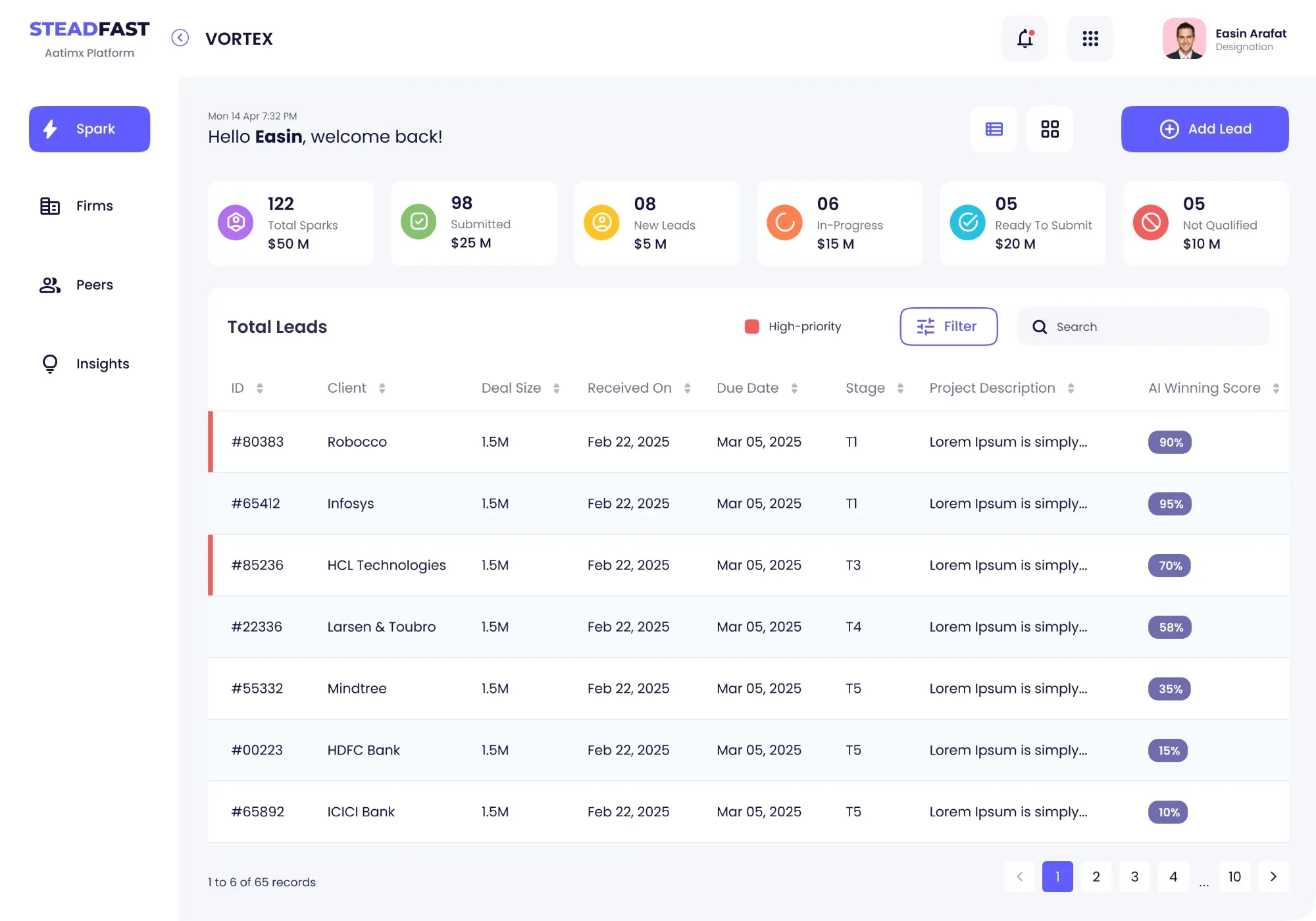
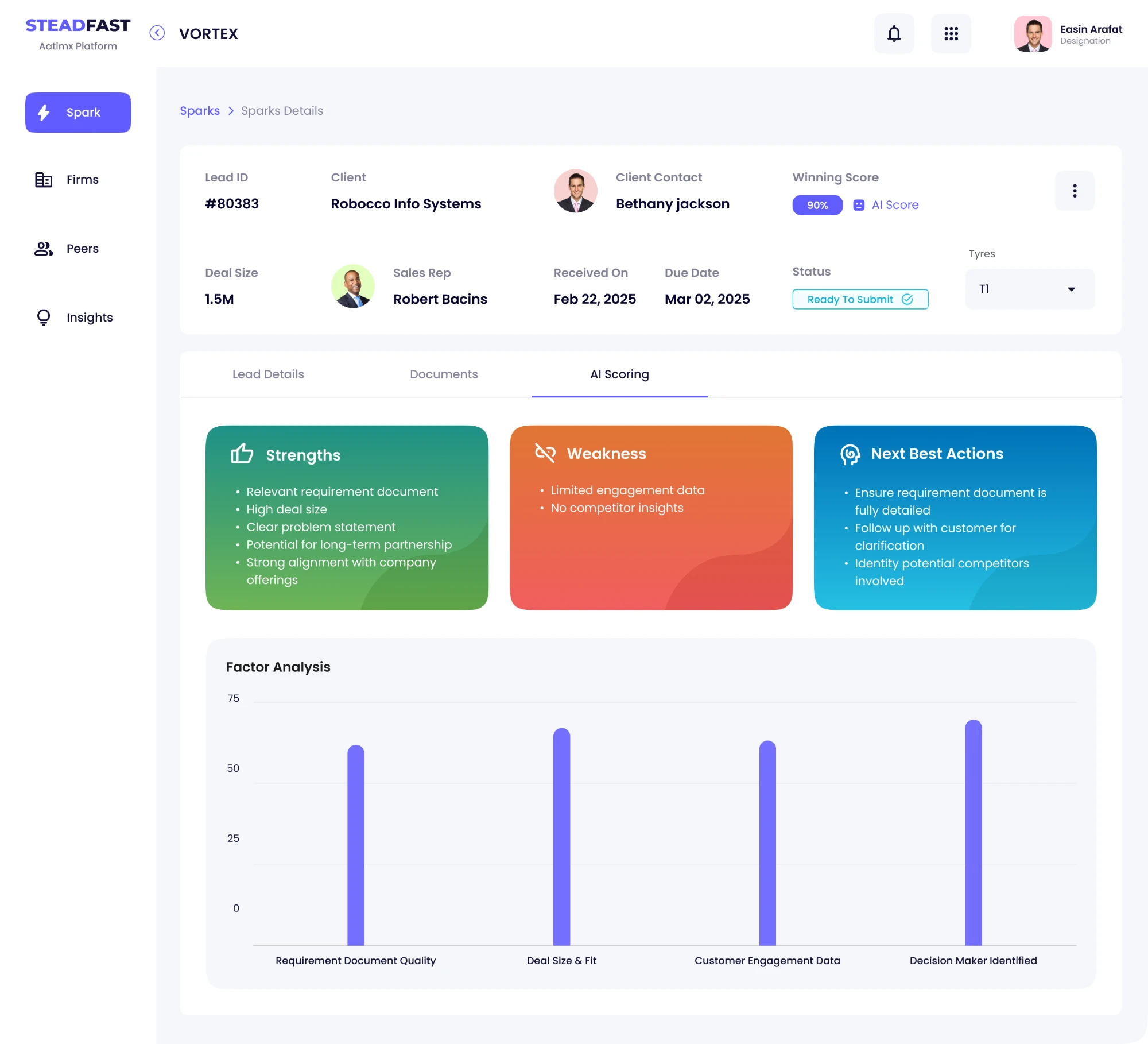
Win the client: a new lead in seconds
Sales pastes an email or a PDF. The AI fills in the form and says how likely the deal is to win.
BeforeTyped by hand from emails and callsNowAI fills it from what sales already has
Try it: add a lead with AI
Prompt
Brief from Northwind Pay, a fintech company: a payments app for small shops, about 1.5M. Contact Priya Raman, Head of Product. Proposal due 30 May.
northwind-rfp.pdf
Waiting for the AI0%
 (opens in new tab)
Module 02 · Axiom
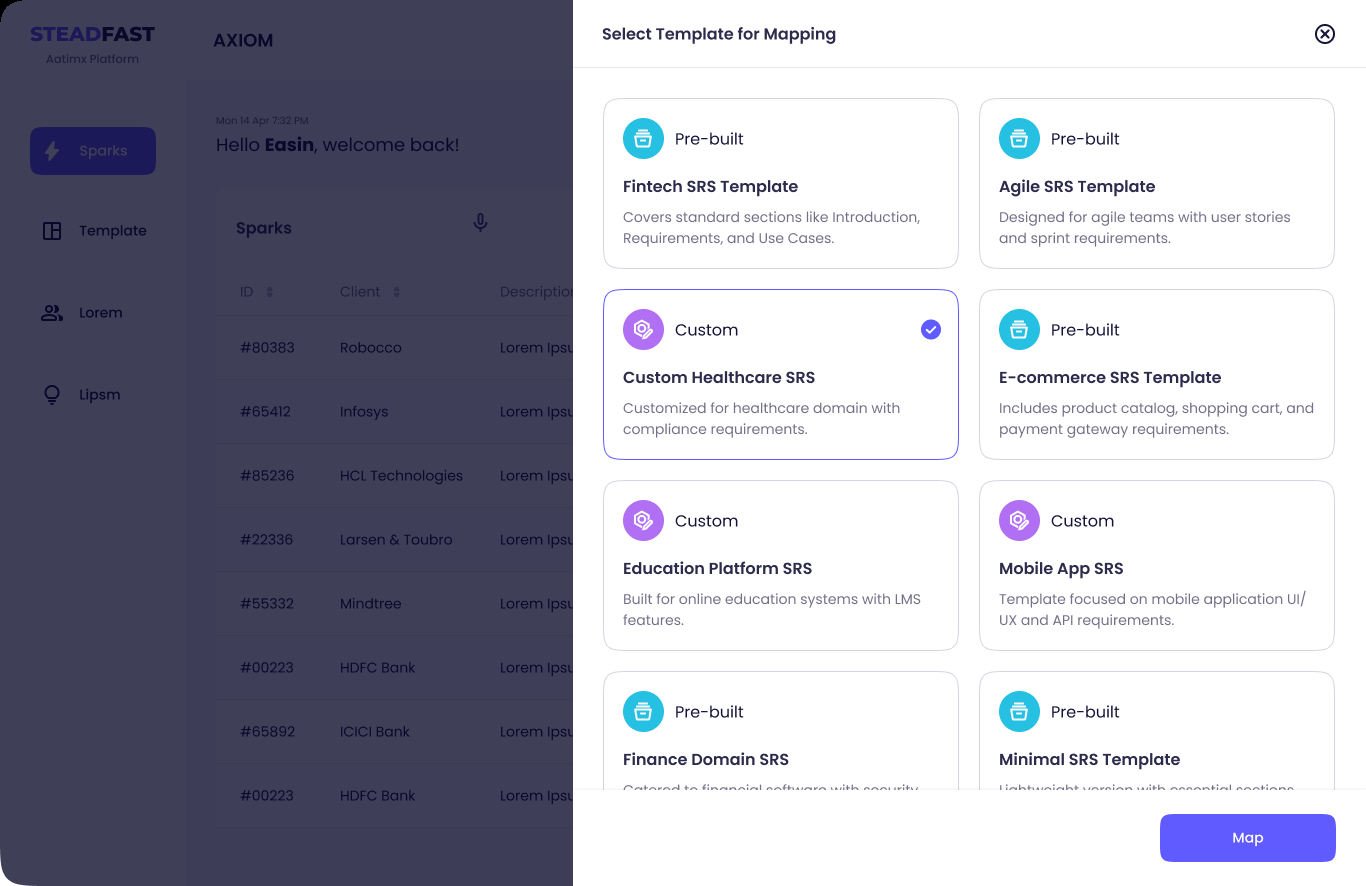
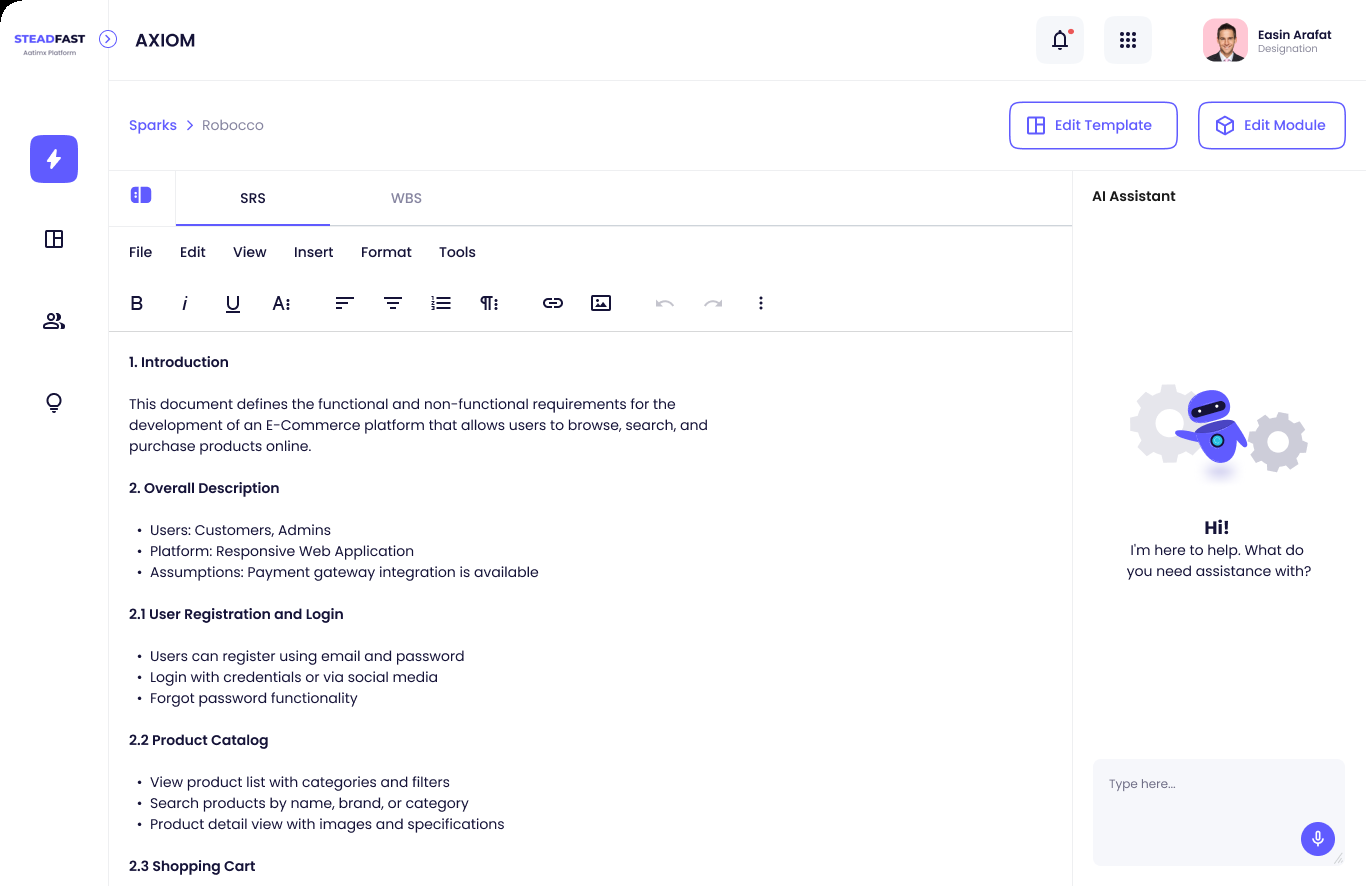
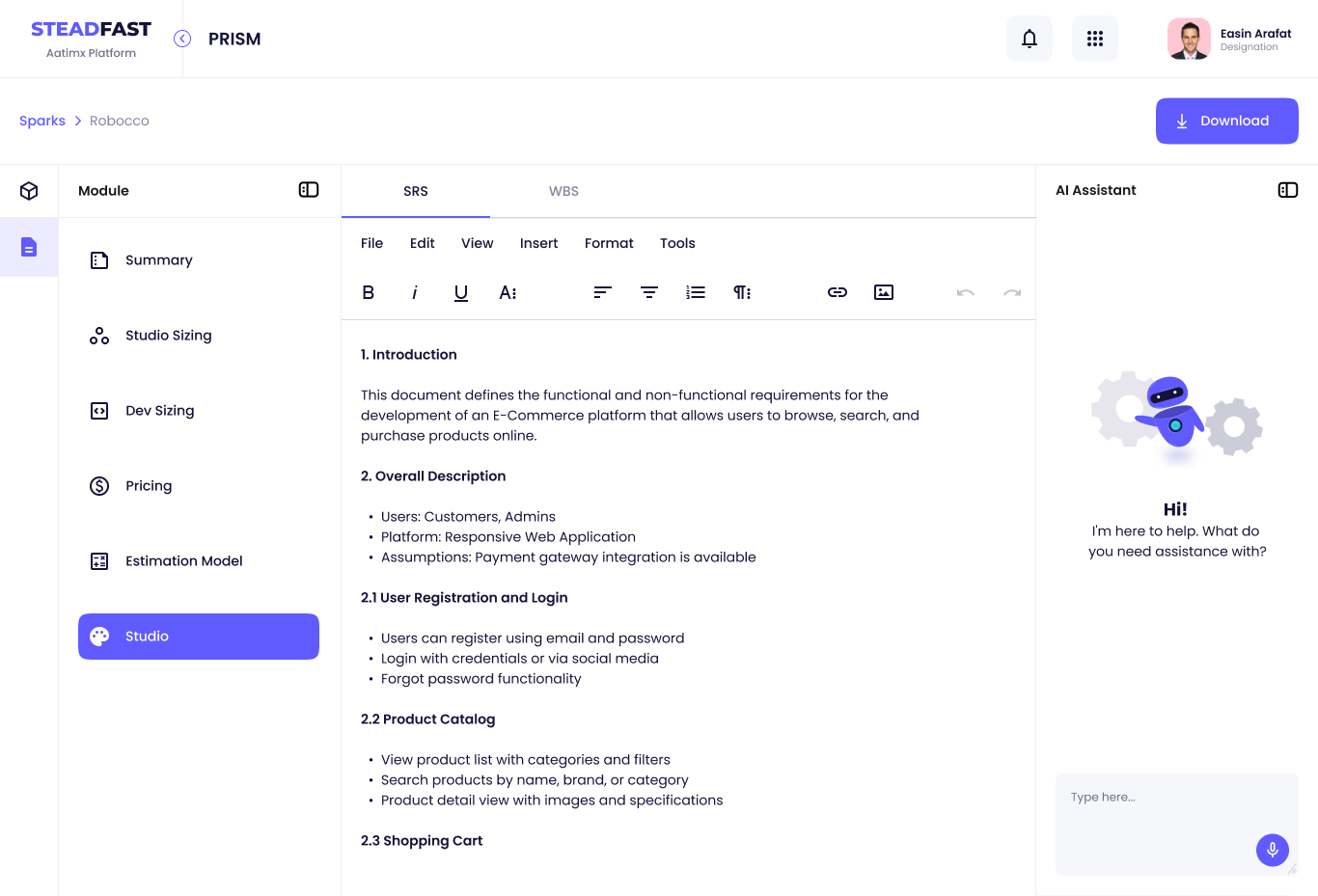
Write down what to build
The AI turns rough notes into a proper plan. The analyst approves or rejects every change.
BeforeDrafts with gaps and duplicatesNowAI tidies them and points out what's missing
 (opens in new tab)
 (opens in new tab)
Module 03 · Prism
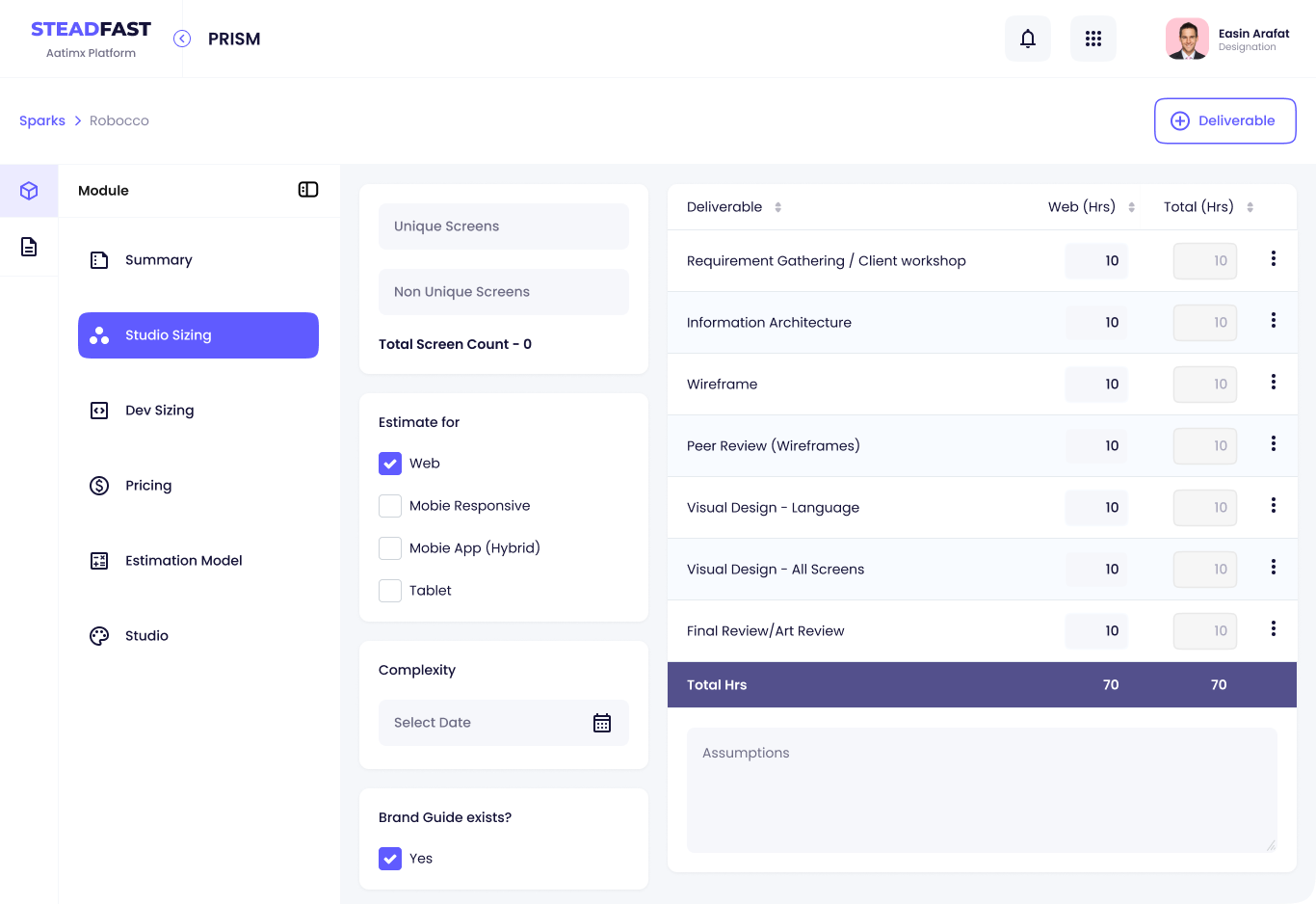
Put a price on it
No more hidden spreadsheet maths. Every hour and every cost is a line anyone can read.
BeforeRebuilt in a spreadsheet for every clientNowA clear price list anyone can read
Try the estimation model
Grand total 1,370 h
 (opens in new tab)
 (opens in new tab)
Module 04 · Cadence
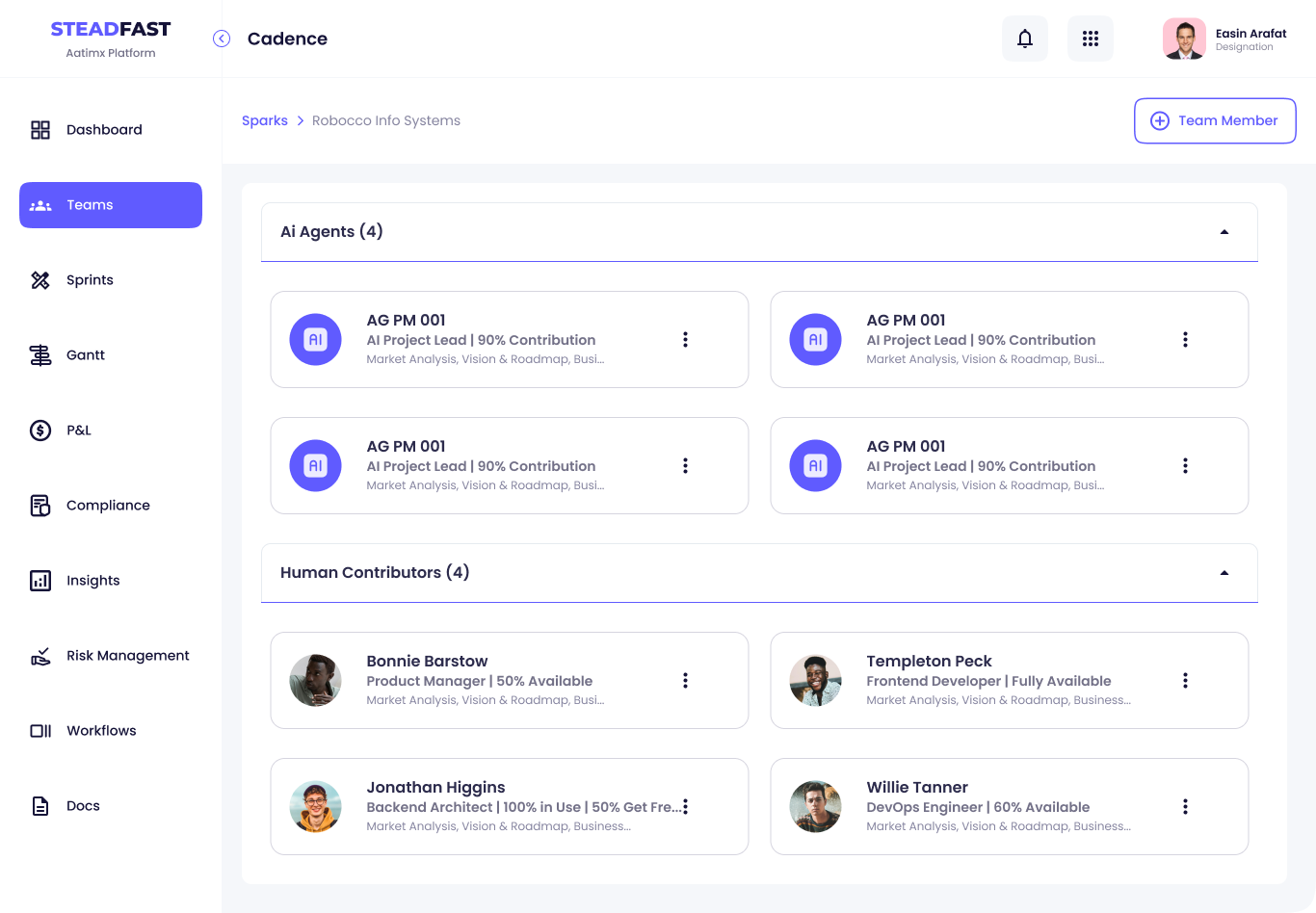
Plan the work with AI teammates
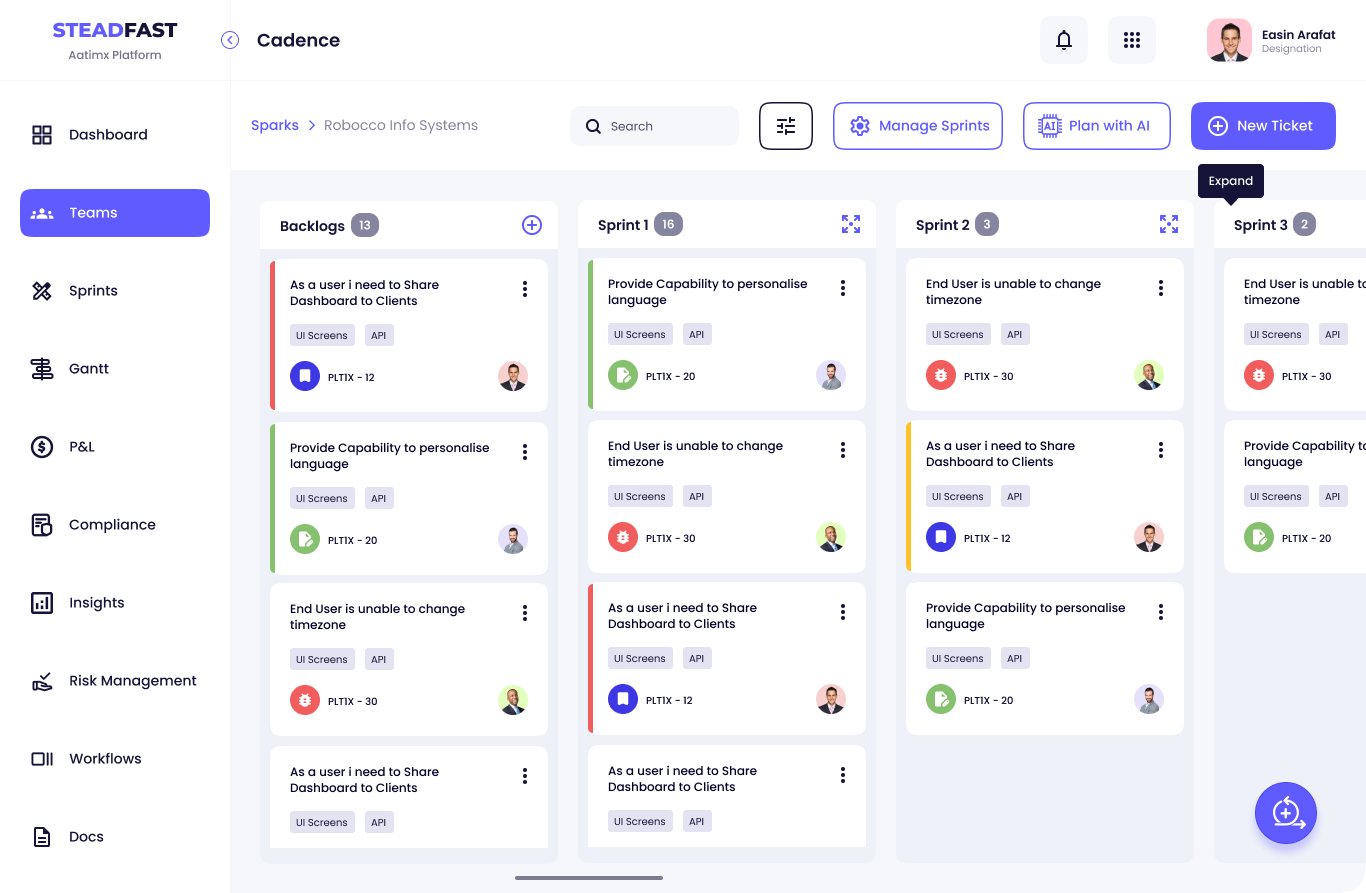
AI helpers and people share one task board. Every task shows who owns it right now.
BeforeWork planned by handNowAI drafts the plan, the manager adjusts it
Click through a task's life
PLTX-12Unassigned
As a user I need to share dashboards with clientsNew from the backlog. Unless a person steps in, the AI picks the owner, human or agent.
 (opens in new tab)
 (opens in new tab)
Module 05 · Turing
Build it, and ask when stuck
When the AI writing the code can't decide, it asks a person, and the answer box is right there.
BeforeNobody sees when the AI is stuckNowThe AI asks, and a person answers in one place
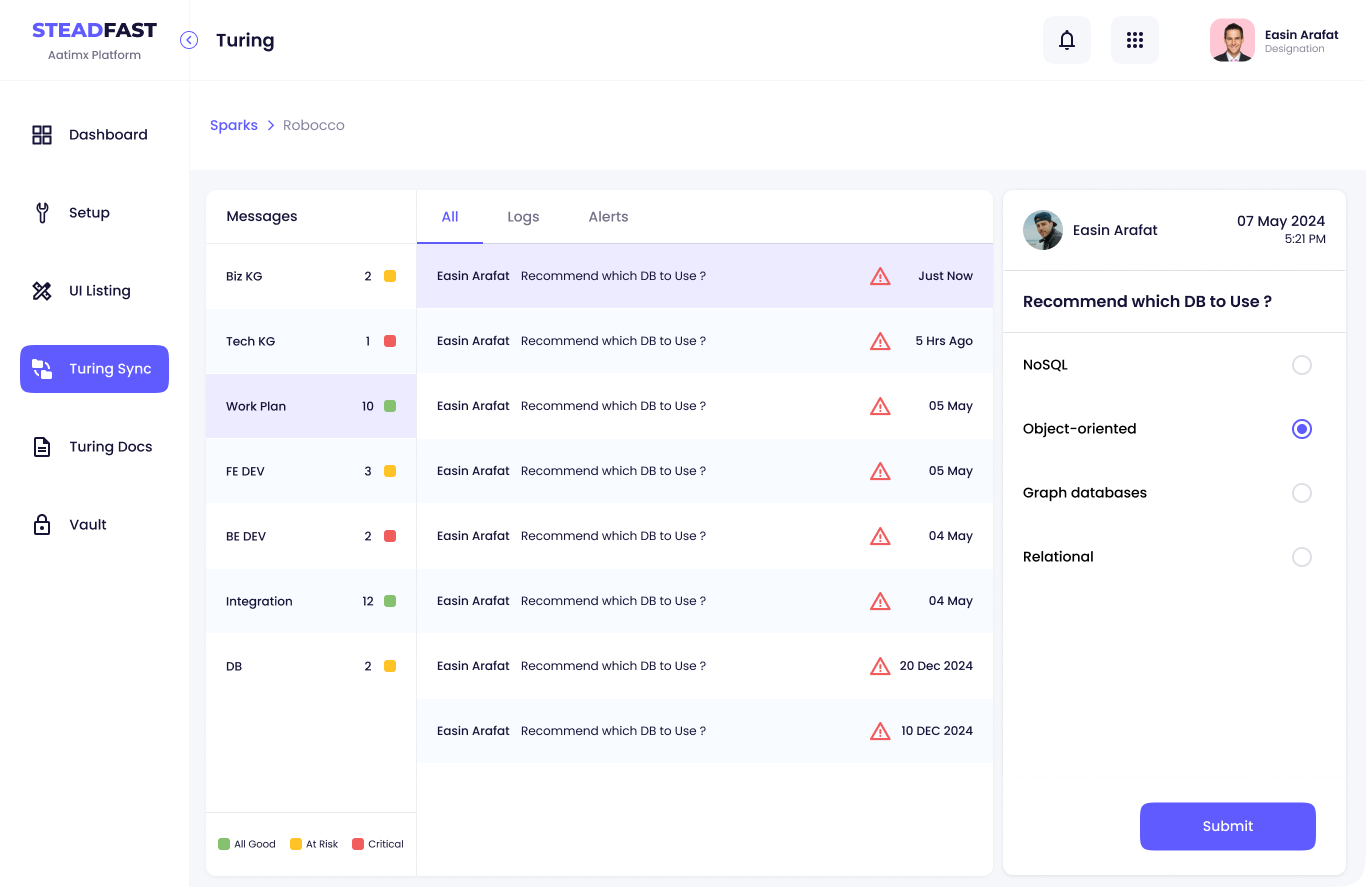 (opens in new tab)
From a spreadsheet row to a real screen
Every screen started as a row in the requirements spreadsheet. Follow one feature through.
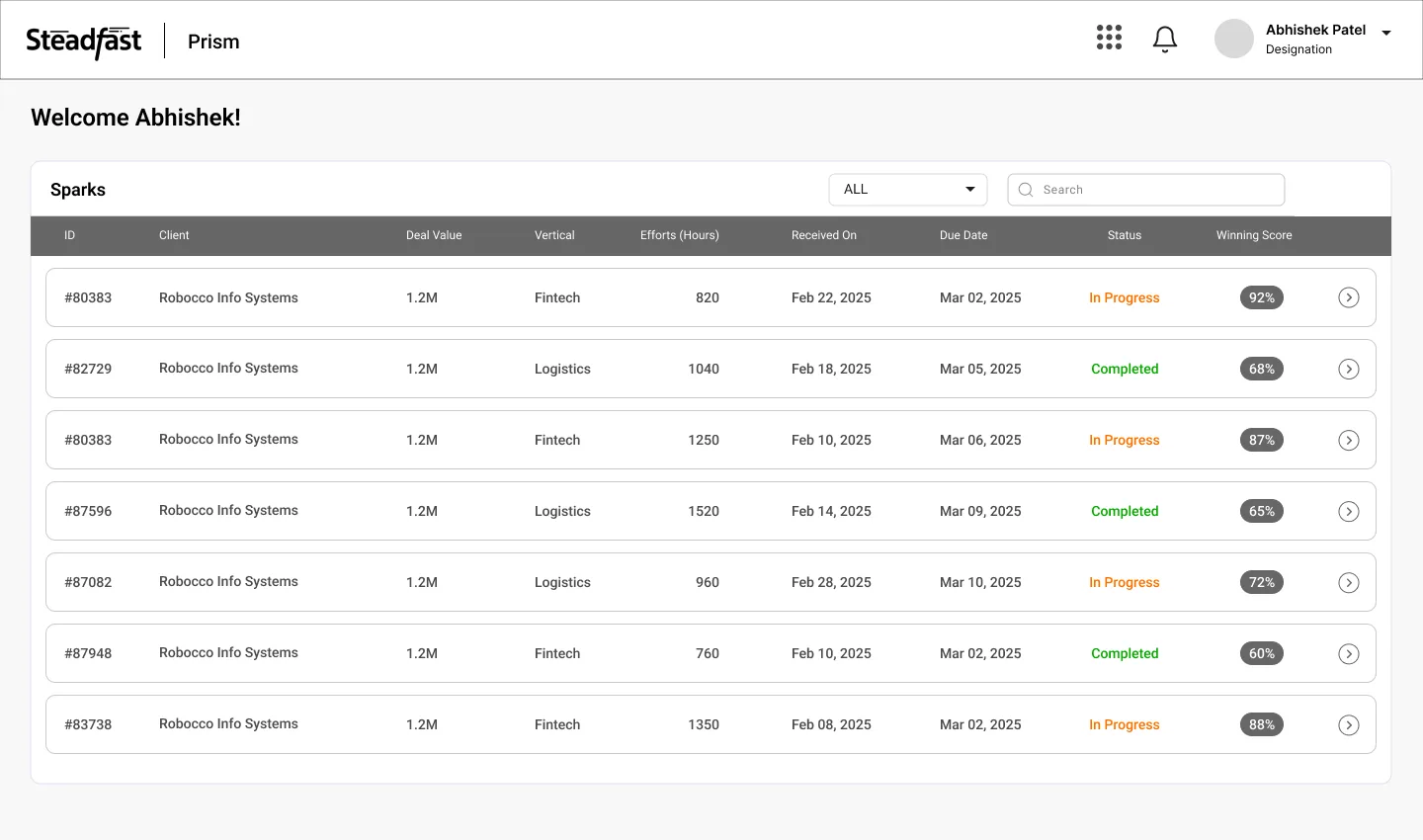
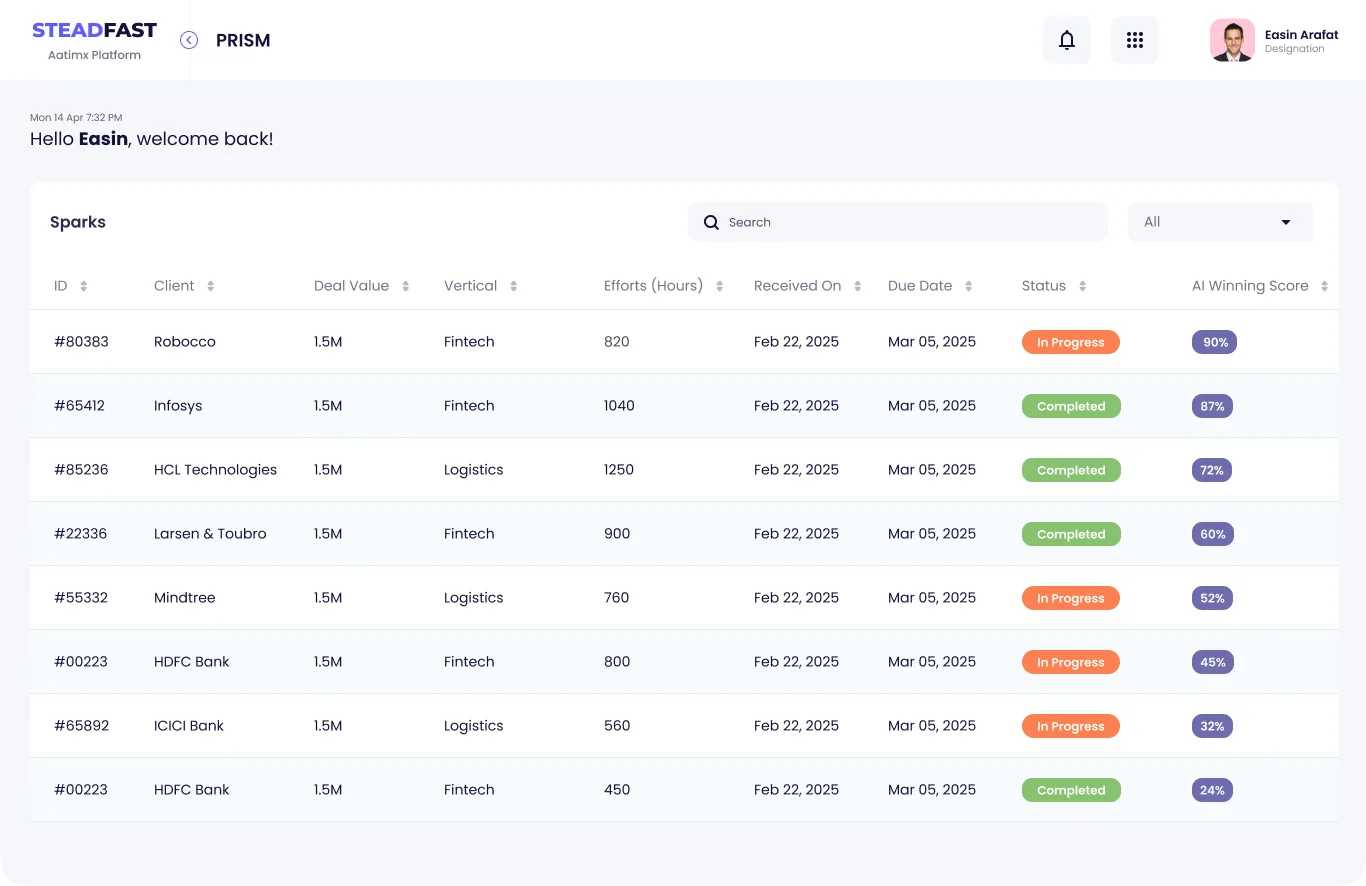
It starts as one row in the requirements spreadsheet.The wireframe agrees the columns and actions in greyscale.The final design adds status pills, AI scores and Prism's colour.
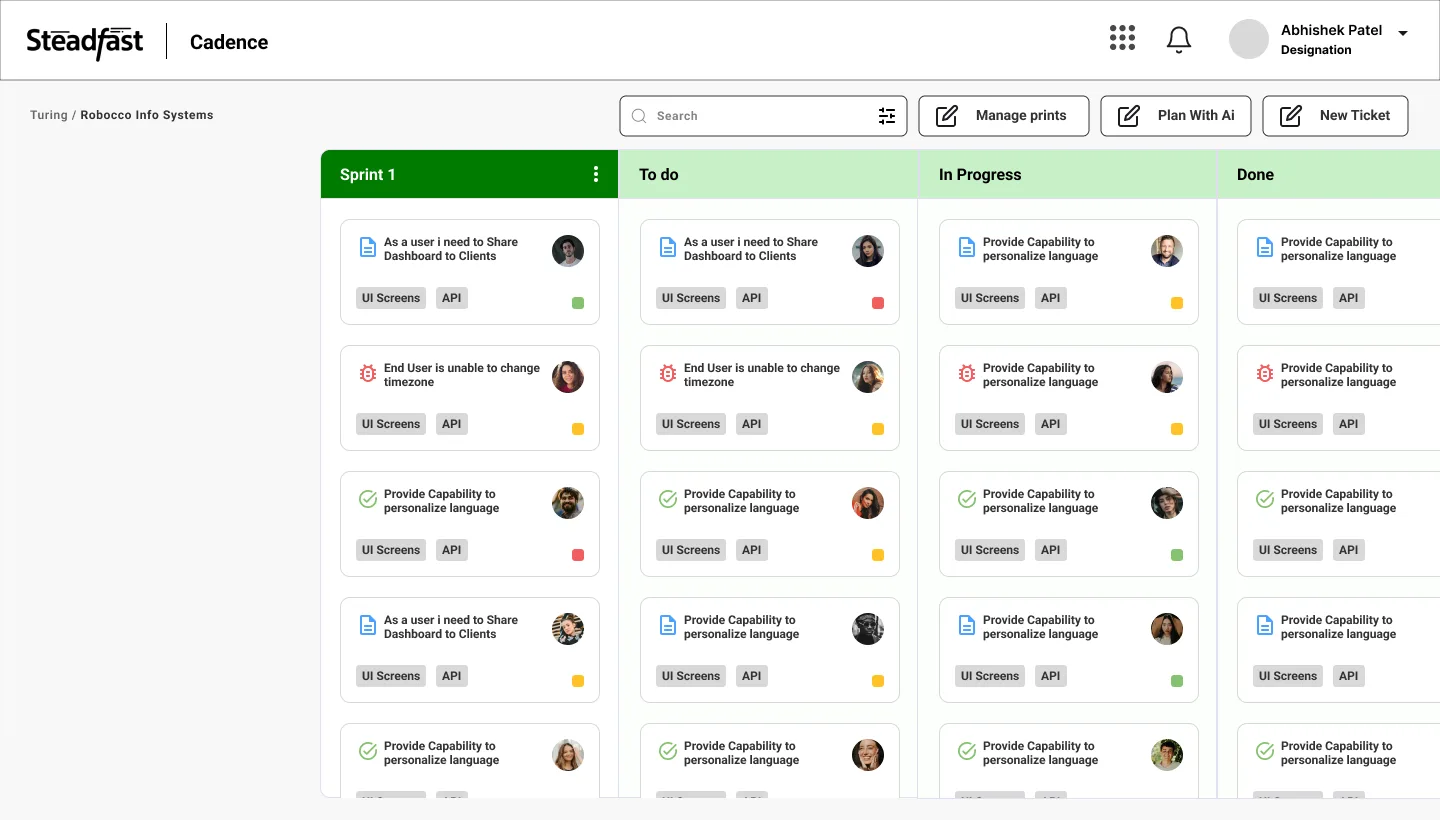
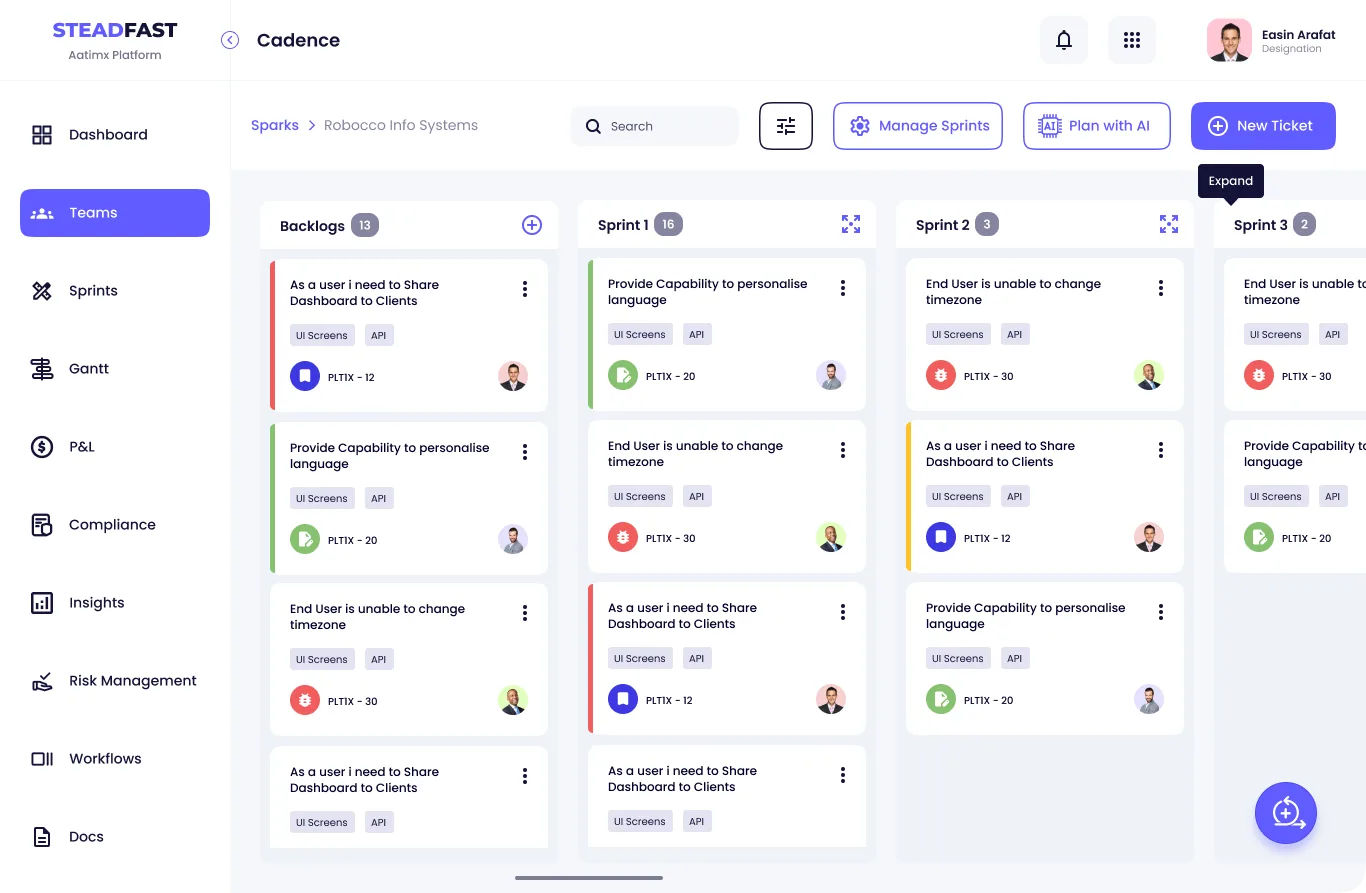
It starts as three rows in the requirements spreadsheet.The wireframe places the columns, counts and Plan with AI.The final design adds priority rules, tags and owners.
What if the AI gets it wrong?
It will, sometimes. So every mistake is easy to spot, cheap to fix and never final without a person.
- 1It fills a field wrongFields stay editable until submit.
- 2It suggests a bad changeAdd or Cancel. No silent edits.
- 3Its score looks arbitraryReasons and factors are shown.
- 4It hits a call it shouldn't makeIt asks, then waits for review.
- 5The work is too riskyEscalated to a person.
- 6Who changed what?Every action is logged.
See the full processResearch, personas, structure, flows and the design system.Open itClose
How I worked
- 01Understand
Founders, requirements, competitors
- 02Define
Journey, goals, IA
- 03Design
Wireframes to final UI
- 04Systemise
One shell, one system
-
VSales leadWorks in Vortex
- Goal
- Log leads fast
- Pain
- Retyping RFPs and notes
- AI
- Autofills and scores leads
-
ABusiness analystWorks in Axiom
- Goal
- A complete SRS, first time
- Pain
- Gappy, duplicate drafts
- AI
- Maps drafts, flags gaps
-
CDelivery managerWorks in Cadence
- Goal
- Plan and track delivery
- Pain
- Blocked AI work is invisible
- AI
- Drafts plans, flags human tasks
What it had to do
- No retypingEach step reuses the last.
- AI you can checkVisible, editable, signed off.
- No hidden waitingEvery wait is seen and counted.
The shell
Five apps, plus three shared tools. One place to switch.
Each app gets a letter tile and a colour, and the colour follows it through the product. Pick a tile.
Vortex
AI-assisted sales: capture leads, assign them, track stages and score the chance of winning.
Designed in this case study- Vortex
- Spark list and board
- Add a lead with AI
- Spark detail and AI score
- Firms, peers, insights
- Axiom
- Sparks and SRS status
- Template library
- Map a draft
- Studio and AI review
- Prism
- Summary
- Studio and dev sizing
- Estimation and pricing
- Proposal studio
- Cadence
- Projects with RAG
- Team: AI and people
- Sprints and tasks
- Gantt, P&L, risk
- Turing
- Setup and boilerplate
- UI listing
- Turing Sync
- Docs and vault
Add a lead with AI
- StartOpens Add Lead
- PersonAdds a prompt, voice note or RFP
- AIFills the lead details
- DecisionAll fields right?NoEdit the wrong one
- PersonSubmits the lead
- AIScores it and explains why
- EndLead joins the list
The AI needs a person
- StartAI hits a hard call
- AIFlags it: needs a human
- AIAsks in Turing Sync
- PersonAnswers in place
- DecisionAnswer enough?NoAI follows up
- EndAI resumes, logged
Plan a sprint with AI
- StartOpens Sprints
- PersonSets length, team and dates
- AIPlans by priority and effort
- DecisionPlan looks right?NoAdjust, AI re-plans
- EndSprint starts
Design system
- Primary
#605BFF - Pressed
#3D38E3 - Ink
#151338 - Primary tint
#ECEBFF - App background
#F5F7FA - Axiom
#B16FF3 - Prism
#26C0E2 - Cadence
#FB8050 - Turing
#86C270 - Error, high priority
#F15E5E
AaPoppinsRegular 400 · Medium 500 · SemiBold 600
- AI winning score 90%Page titles
- AI winning score 90%Section titles
- AI winning score 90%Body and table text
- AI winning score 90%Labels and buttons
- AI winning score 90%Tags and captions
Primary button
Secondary button
Text field
Status and score
Tabs
Search
What I delivered and learned
What I handed over, and what I'd do differently next time.
What I delivered
- The structure and key flows for five apps
- Wireframes and final UI with every state
- One design system for every app
- A shipped product, built from my designs
What I learned
- Design the waiting
- Progress matters as much as the answer.
- Give the AI a face
- Named agents read as teammates.
- Test with users early
- Next time, sales and delivery staff before handoff.
- Check colour as text
- Cyan and green need darker text tones.
- What I'd build next
- A confidence level per field, linked to the sentence it came from.
Client names and figures in the screens are placeholder data, not real clients or results.